Efficient workforce management is becoming increasingly complex as teams grow more distributed and tasks multiply across time zones. From tracking productivity to organizing workflows, HR professionals and team leaders often face hurdles in maintaining clarity, accountability, and collaboration—especially when the tools in use don’t align with evolving workplace needs.
Time Doctor and Microsoft Planner are two popular software solutions that tackle these challenges from different angles. Time Doctor emphasizes time tracking, employee monitoring, and productivity analytics, while Microsoft Planner focuses on task planning, team collaboration, and project organization within the Microsoft 365 ecosystem.
In this article, we will compare both platforms by exploring their benefits, features, strengths, and limitations to help you determine which software best aligns with your organizational needs.
Time Doctor Vs Microsoft Planner: At A Glance
Features
Time Doctor
Microsoft Planner
Task Management
Tracks tasks, monitors active minutes, and measures distraction levels
Allows its users to create plans, build task lists, assign responsibilities, and set due dates
Collaboration
Managers can monitor employees, allowing teams to identify areas for improvement
Teams can create plans, assign tasks, share files, and engage in discussions directly within tasks
Integrations
Integrates with a wide variety of third-party platforms
Integrates with other applications found within the Microsoft ecosystem
Pricing
Pricing starts at $8/user/month
Free version included
What Is Time Doctor?
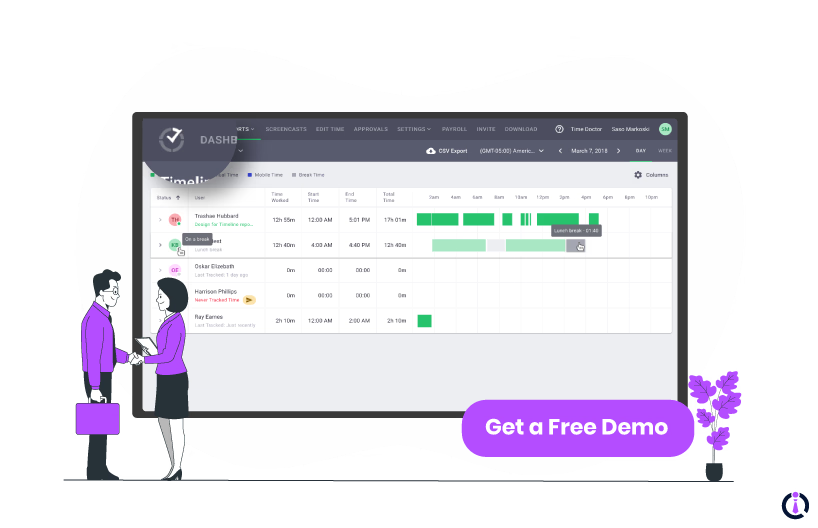
Time Doctor software is a productivity and time-tracking program built for businesses aiming to improve performance, accountability, and operational efficiency. It combines time tracking, employee monitoring, and detailed productivity analytics to help teams understand how work hours are spent and identify areas for improvement. With tools like automated timesheets, distraction alerts, and activity tracking, it supports both in-office and remote teams in staying focused and productive.
Time Doctor is suitable for businesses of all sizes—from startups to large enterprises—and is used across industries such as IT, BPO, consulting, finance, and remote-first companies. It is especially beneficial for organizations that prioritize transparency, performance metrics, and employee accountability.
Unique Time Doctor Features
Time Tracking By Task And Project: Time Doctor lets users track the exact time spent on each task or project, providing minute-by-minute breakdowns
Automatic Screenshots: Time Doctor captures screenshots during work hours to monitor activity and ensure accountability
Time Doctor Pros And Cons
Pros:
Tracks time accurately across multiple projects and tasks
Offers productivity reports with detailed employee activity insights
Screenshots feature improves remote worker accountability and transparency
Cons:
Occasional syncing issues disrupt accurate time logging
Some users report false idle time alerts
What Is Microsoft Planner?
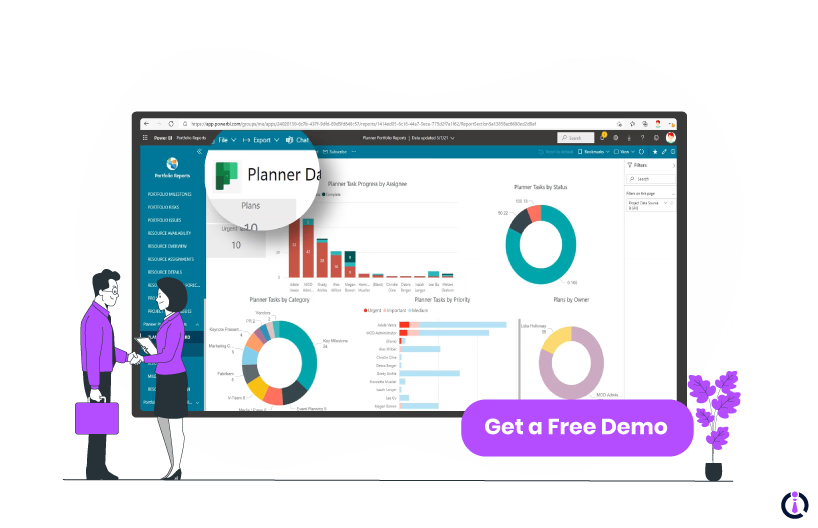
Microsoft Planner is a task and project management tool designed to simplify team collaboration within the Microsoft 365 environment. It offers a visual way to organize work with features like task boards, labels, progress tracking, and file attachments. Teams can create plans, assign tasks, set deadlines, and monitor project progress through intuitive dashboards that integrate seamlessly with other Microsoft tools like Teams, Outlook, and OneDrive.
Microsoft Planner is best suited for small to large organizations already using Microsoft 365. It's widely adopted across industries such as education, professional services, healthcare, and finance—particularly for teams that prioritize structured workflows, transparent task ownership, and real-time collaboration.
Unique Microsoft Planner Features
Kanban-Style Task Boards: Microsoft Planner uses drag-and-drop visual boards (buckets) to organize tasks
File Attachment And Co-Authoring: Users can attach, share, and co-edit Office files within tasks
Microsoft Planner Pros And Cons
Pros:
Seamless integration with Microsoft Teams improves collaboration
Offers a clean, organized, user-friendly interface
Easy task assignment with due dates and labels
Cons:
Limited customization options for board and task views
According to certain users, it doesn't allow setting due dates for subtasks/checklist items
Time Doctor Vs Microsoft Planner – Features Comparison
Task Management
Time Doctor offers task management through its integrated time-tracking interface, allowing users to track time spent on specific tasks in real time. The system logs detailed activity data for each task, including time spent, active minutes, and even distraction levels, giving managers insights into how efficiently tasks are being handled.
While Time Doctor’s task features are more focused on accountability and time allocation, they are valuable for teams that prioritize measurable productivity and performance tracking.
Microsoft Planner, in contrast, focuses on visual and collaborative task organization. Users can create plans, build task lists, assign responsibilities, and set due dates, all within a kanban-style board format. Each task can include checklists, file attachments, comments, and labels, making it easier for teams to manage workflows and collaborate in real-time.
In addition, its seamless integration with Microsoft Teams and Outlook makes it particularly effective for structured project management within organizations already using Microsoft 365.
Winner: Microsoft Planner wins this round since it offers more in terms of task management.
Collaboration
Time Doctor enhances team collaboration by providing real-time insights into how teams spend their work hours. Its monitoring tools offer detailed analytics on tasks, projects, and clients, enabling managers and employees to identify productivity trends and areas for improvement.
However, it lacks built-in tools for direct communication or collaborative task management since it’s primarily a time tracking tool. To make up for this, Time Doctor integrates with various project management and communication platforms, such as Slack and Trello, to streamline workflows and foster effective collaboration.
Microsoft Planner, on the other hand, is designed specifically for collaborative task and project management within the Microsoft 365 ecosystem. It allows teams to create plans, assign tasks, share files, and engage in discussions directly within tasks. Microsoft Planner's integration with Microsoft Teams and SharePoint facilitates seamless collaboration, enabling co-authoring of documents and centralized communication.
Additionally, features like task comments, calendars, and notebooks help teams stay organized and aligned on project goals.
Winner: While Time Doctor provides valuable insights through monitoring, Microsoft Planner offers a more holistic approach to collaboration. Thus, it wins this round.
Integrations
Time Doctor supports a wide range of third-party integrations with popular project management, communication, and CRM platforms such as Trello, Asana, Jira, ClickUp, and Salesforce. These integrations allow teams to sync tasks, track time directly within other tools, and centralize productivity data for better performance insights across multiple systems.
Meanwhile, Microsoft Planner is deeply integrated within the Microsoft 365 suite, working seamlessly with tools like Teams, Outlook, SharePoint, and OneDrive. This built-in connectivity enables users to access tasks across apps, collaborate on documents, schedule deadlines, and receive notifications—all within the familiar Microsoft ecosystem.
Winner: Time Doctor wins this round as it offers a wider range of integrations when compared to Microsoft Planner.
Pricing
Time Doctor offers four pricing plans to cater to different business needs:
Basic - $8/user/month
Standard - $14/user/month
Premium - $20/user/month
Enterprise - customized pricing
The Basic plan covers time tracking and activity levels, while the higher-tier plans offer additional features like payroll, integrations, client login access, and video screen captures. Finally, Time Doctor also provides a 14-day free trial.
Conversely, Microsoft Planner is included at no additional cost in Microsoft 365 enterprise plans, providing features like task creation, management, and integration with Microsoft Teams. However, for enhanced project management capabilities, Microsoft offers:
Planner Plan 1 - $10/user/month
Planner and Project Plan 3 - $30/user/month
Planner and Project Plan 5 - $55/user/month
However, it’s important to note that these pricing plans are all billed annually. They also include more features than the base version such as task dependencies, portfolio management, premium plan templates, etc.
Winner: Time Doctor is the more affordable software compared to Microsoft Planner, making it the winner here. However, companies that don’t want to seize on all of Microsoft Planner’s capabilities may find the free version enough for them.
Which One To Choose – Time Doctor Or Microsoft Planner?
By now we can see that both Time Doctor and Microsoft Planner support productivity and organization, but they cater to distinct business requirements.
Time Doctor is ideal for companies focused on performance analytics, time tracking, payroll and employee accountability—especially in remote or outsourced team environments across industries like IT, BPO, and consulting.
Microsoft Planner, meanwhile, suits businesses already within the Microsoft 365 ecosystem, offering visual task management and smooth collaboration for teams in sectors like education, healthcare, and professional services.
Ultimately, the right choice depends on your organization’s workflow priorities—whether that’s time visibility or streamlined task coordination. That being said, if neither software are what you’re looking for right now, try other alternatives instead, like Hubstaff Software or Workday HCM.
Sami Usman is a writer at Software Finder. He has a background in writing and is interested in crafting content that explains everything while being easy to understand. Sami believes in the power of storytelling and strives to create works that are both enjoyable and engaging. In his free time, Sami enjoys solitude or talking to friends, but not both at the same time.