


- Payroll software can be subscription-based, tiered with feature bundles, flat-rate, or pay-as-you-go, based on your needs.
- Small businesses can expect to pay around $20-$50/month, mid-size businesses $50-$150/month, and large enterprises a few hundred dollars /month, depending on features.
- You get the most value by automating payroll tasks, reducing errors, and planning for future growth, which can save time and prevent costly mistakes.
Managing payroll can feel complicated and expensive, especially if you’re running a small business. Between paying employees, filing taxes, and keeping records accurate, it’s easy to get overwhelmed.
Payroll software and services can make this process much simpler. Explore various payroll software pricing structures, different types of plans, and how to save money while getting the most value.
- What Are Payroll Services?
- Which Factors Impact the Cost of Payroll?
- Types of Payroll Software Pricing
- Cost of Payroll Software for Different Business Sizes
- Potential Additional Costs of Payroll Software
- Payroll Services vs. Payroll Software: Cost Analysis
- 6 Ways To Save Money on Payroll Services
- How To Maximize Payroll Software ROI
- Find the Right Payroll Software
- Payroll Software Pricing FAQ
Payroll services help you pay your employees accurately and on time, handle tax filings, and keep track of payroll records. They can be fully automated software, a team of experts who run payroll for you, or a mix of both:
- In-house payroll software: You or your HR team runs it. It’s usually cheaper upfront but takes more time and effort. You can expect around $20-$50/month, plus per-employee fees.
- Outsourced payroll providers: External providers handle most of the work. The cost is higher, but there’s less hassle. Plans often start around $40-$100/month.
- Hybrid services: It means a combination of software and some expert help. Their costs fall in the middle, often around $30-$70/month.
To give you a clearer picture, here’s a snapshot of what popular providers charge at the entry level:
Provider | Starting monthly base fee | Key features |
| Gusto | $19.60/month | User-friendly, great for small teams |
| QuickBooks Payroll | $44/month | Syncs with QuickBooks accounting |
| Square Payroll | $35/month | Simple setup, good for hourly workers |
| OnPay | $55/month | Flat pricing, all features included |
| Patriot Payroll | $8.50/month | Budget-friendly option |
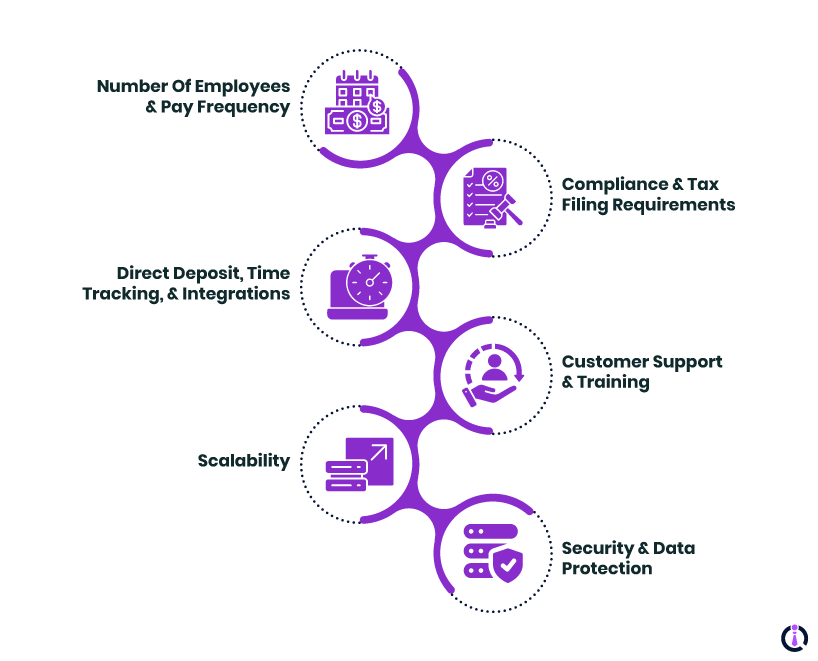
Payroll software doesn’t come with a one-size-fits-all price tag. What you pay depends on the size of your team, the features you choose, and even how often you run payroll. Here are the main factors that can influence payroll pricing:
- Number of employees and pay frequency: More people and more frequent pay runs mean higher fees.
- Compliance and tax filing requirements: If you need help filing federal, state, or local taxes, that adds to the cost.
- Features like direct deposit, time tracking, and integrations: The more tools you add, the more your bill grows.
- Customer support and training: 24/7 support, onboarding help, or dedicated account managers can raise the price.
- Scalability: Some payroll software charges more as your business grows or when you move to higher-tier plans.
- Security and data protection: Strong security features, like encryption and secure employee portals, may cost extra but protect sensitive payroll data.
Not every payroll software charges you the same way. Providers use different pricing models, and knowing how they work can save you from surprises later. Here are the most common payroll pricing models.
1. Subscription-Based Pricing
This is the most popular model. You pay a fixed base fee plus an extra charge for each employee on your payroll. For example, OnPay’s plan costs $49/month plus $6 for every employee.
If your team grows, your monthly bill grows, too. Some companies also offer annual subscriptions at a lower overall rate. International payroll software often follows this model but may add extra costs for handling cross-border payments and meeting local compliance rules.
2. Tiered Pricing
In this setup, features are bundled into different plans:
- A basic tier usually includes simple payroll runs, direct deposits, and tax filing.
- A mid-tier plan may add extras like time tracking, HR tools, and payroll audit reports.
- At the top level, enterprise plans are designed for larger organizations that need advanced integrations, automation, and support for international payroll.
The benefit of tiered pricing is flexibility — you only pay for what you need, but upgrading can get expensive as your business grows.
3. Pay-as-You-Go vs. Flat-Rate Options
Some payroll providers give you more flexible payment models. With pay-as-you-go, you only pay when you run payroll, which is useful for seasonal businesses or companies with irregular schedules.
On the other hand, flat-rate pricing charges a set monthly fee, sometimes covering unlimited employees. This option is attractive if you’re scaling quickly and want predictable costs without worrying about per-employee charges.
Hidden Fees To Watch For
Even if a plan looks affordable on paper, extra fees can sneak in. Common examples include setup or implementation charges, year-end tax form filings (like W-2s or 1099s), and costs for running off-cycle payroll.
Some providers also add fees for international payments, compliance support, or advanced integrations with HR and accounting software. Always read the fine print so you don’t end up paying more than you expect.
Like we said, what you pay depends a lot on the size of your team and the complexity of your payroll needs. Here’s how pricing usually looks across different business sizes:
| Business size | Typical monthly cost | Per-employee fee | Common features needed | Outsourcing considerations |
Small (1-25 employees) | $20–$50 | $4–$6 | Direct deposit, automated tax filing, and basic reports | Usually not needed but can help with compliance if no HR staff |
Mid-Size (25-250 employees) | $50–$150 | $5–$8 | Time tracking, benefits management, and payroll audit reports | Attractive option to reduce compliance risks and workload |
Large (250+ employees) | $200+ (custom pricing) | Often lower per-employee | Global payroll, advanced integrations, and compliance support | Commonly used; hybrid models (software + outsourcing) are popular |
Small Businesses (Fewer Than 25 Employees)
If you run a small business, payroll software can be very budget-friendly. Small business payroll software plans often start around $20 to $50/month, plus a per-employee fee of $4 to $6. Most small businesses only need core features like direct deposit, automated tax filing, and simple reports.
For many, payroll outsourcing isn’t necessary at this stage because cloud-based payroll software is easy enough to manage in-house. However, if compliance worries you or you don’t have a dedicated HR person, outsourcing payroll can still be worth the extra cost.
Mid-Size Businesses (25-250 Employees)
Costs rise as your team grows. For mid-size businesses, payroll software usually runs between $50 and $150/month, with per-employee fees still in the $5 to $8 range. At this level, companies often need more advanced features — things like time tracking, benefits management, or detailed payroll audit reports.
Payroll outsourcing becomes more attractive here since managing hundreds of paychecks and tax filings can eat up a lot of time. Outsourced providers typically charge more, but they reduce the risk of compliance errors and free up your staff for other priorities.
Large Enterprises (250+ Employees)
For large organizations, payroll costs vary widely depending on the level of service and international needs. Some payroll software providers offer enterprise plans with custom pricing, often starting around a few hundred dollars/month and scaling with employee count. Per-employee fees may go down slightly at this size, but add-ons like global payroll, advanced integrations, and compliance support can drive costs up quickly.
Payroll outsourcing is very common at this scale because handling payroll across multiple locations, states, or countries can be overwhelming without outside help. Many enterprises use hybrid solutions — a mix of payroll software and outsourcing — to balance control and efficiency.
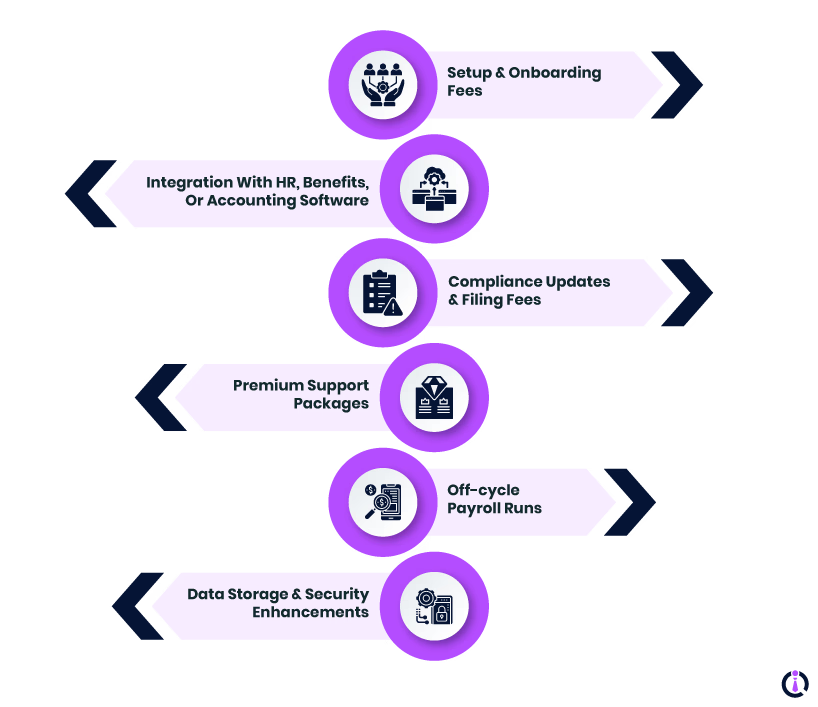
Even if a payroll software plan seems affordable, there can be extra costs that sneak up on you. These additional fees can make a big difference in your monthly budget, so it’s important to know what to look out for.
Here are some common potential extra costs that can change payroll management software pricing:
- Setup and onboarding fees: Some providers charge a one-time fee to set up your account and import employee data.
- Integration with HR, benefits, or accounting software: Connecting payroll to other systems can come with extra costs, especially if custom work is needed.
- Compliance updates and filing fees: Keeping up with tax changes, state filings, or international payroll requirements may require additional payments.
- Premium support packages: Access to 24/7 support, dedicated account managers, or training sessions often costs extra.
- Off-cycle payroll runs: Running payroll outside the regular schedule may incur additional fees.
- Data storage and security enhancements: Extra charges may apply for advanced data security, encryption, or long-term storage for audit purposes.
When it comes to managing payroll, you have two main approaches: outsourcing payroll services to a provider or using payroll software to handle it yourself. Both have costs, benefits, and trade-offs.
1. Outsourcing Payroll Services
With payroll services, a company takes care of most of the work for you, from processing paychecks to filing taxes. This can save you time and reduce errors, especially if you don’t have a dedicated HR or finance team.
| Pros | Cons |
|
|
2. Using Payroll Software
Payroll software lets you manage paychecks, taxes, and reporting in-house. You have more control and usually lower monthly costs, especially for small and mid-size businesses.
| Pros | Cons |
|
|
When Does Each Become More Cost-Effective?
- Payroll software is generally more cost-effective for small businesses or teams with straightforward payroll needs. It gives you control at a lower monthly price.
- Payroll services usually become more cost-effective for larger businesses or those with complex payroll requirements, multiple locations, or international employees. The time saved and reduced risk of mistakes often justifies the higher cost.
By weighing your team size, payroll complexity, and how much control you want, you can decide which approach makes the most sense for your business.
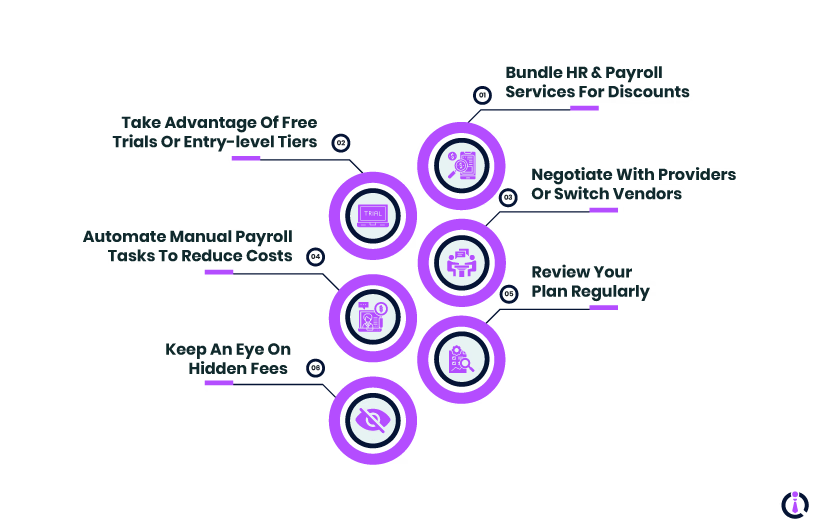
Payroll can be one of the bigger ongoing expenses for your business, but there are smart ways to keep costs under control without cutting corners. Here’s how:
- Bundle HR and payroll services for discounts: Many providers offer lower prices if you use both payroll and HR tools together. Bundling can save you money while keeping everything in one system.
- Take advantage of free trials or entry-level tiers: Before committing, test out software or services using a free trial or a basic plan. This helps you find the features you actually need without paying for extras.
- Negotiate with providers or switch vendors: Don’t be afraid to ask for discounts or explore other providers. Many companies offer promotions or price adjustments for new customers or long-term contracts.
- Automate manual payroll tasks to reduce costs: Using features like automatic tax filing, direct deposit, or time-tracking integration can save hours of work. The less manual effort required, the lower your internal costs.
- Review your plan regularly: As your business grows, your needs change. Upgrading or downgrading plans to match your current team size and feature needs ensures you’re not paying for unused services.
- Keep an eye on hidden fees: Avoid surprise charges by understanding setup fees, off-cycle payroll costs, and additional compliance or integration fees before signing up.
Getting the most value from payroll software isn’t just about picking the cheapest option. It’s about making sure it saves you time, reduces errors, and grows with your business.
Here are some ways to maximize your return on investment (ROI):
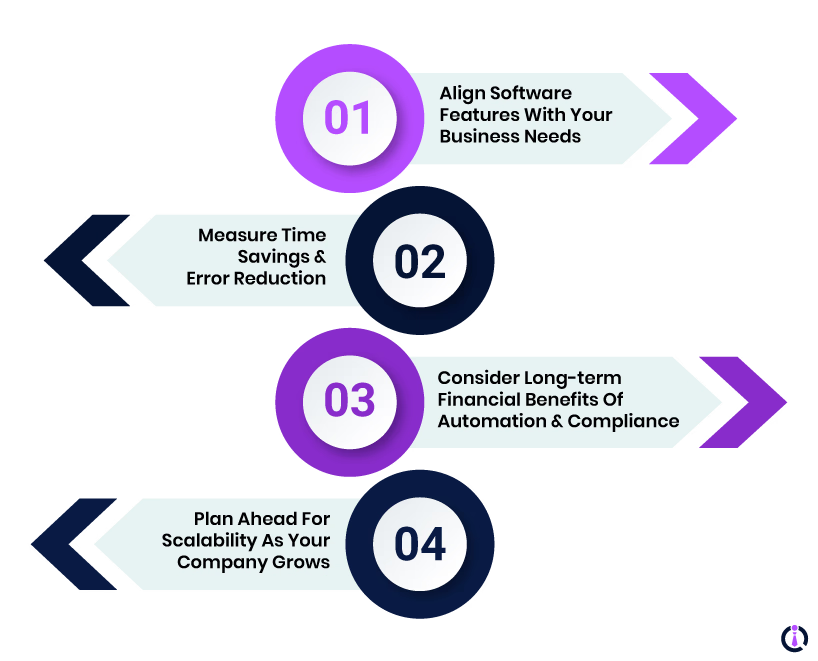
- Align software features with your business needs: Don’t pay for tools you won’t use. Choose payroll software that matches your team size, compliance requirements, and reporting needs. This ensures every feature contributes to your workflow.
- Measure time savings and error reduction: Track how much time your team spends on payroll and how many errors occur before and after using the software. Reducing manual work and mistakes translates directly into cost savings.
- Consider long-term financial benefits of automation and compliance: Automation reduces the risk of costly tax penalties and compliance issues. Over time, these savings can be significant, often outweighing the monthly subscription fees.
- Plan ahead for scalability as your company grows: Pick a solution that can handle more employees, multiple locations, or international payroll. Scaling efficiently prevents costly software switches later.
By focusing on these areas, you can ensure your payroll software not only meets your current needs but continues to save money and time as your business expands.
Managing payroll doesn’t have to be complicated or expensive. Just choose the right solution for your business size, understand all costs and pricing models, and try to maximize ROI through efficiency and automation. All in all, align software features with your needs, automate repetitive tasks, and plan for future growth to get the most value.
Talk to our experts at FindHR to find the perfect solution for your team and make payroll simple and stress-free.
Payroll Software Pricing FAQ
Understanding payroll costs can be tricky. We’ve put together answers to the most common questions about payroll management software pricing to help you out.
Is Payroll Software Cheaper Than Outsourcing Payroll Services?
Yes, payroll software is usually cheaper than outsourcing, especially for small businesses with straightforward payroll needs. Software lets you manage payroll in-house, which lowers monthly costs, though it requires more hands-on effort. Outsourcing may cost more, but it saves time and reduces the risk of compliance errors.
What’s the Average Monthly Cost of Payroll Software for Small Businesses?
For small businesses (fewer than 25 employees), payroll software typically costs $20-$50/month for the base plan, plus $4-$6/employee. Prices vary based on features, add-ons, and whether you choose an entry-level or premium plan.
Are There Any Free Payroll Software Options Worth Using?
Yes, a few providers like Zoho offer free or low-cost plans suitable for very small teams. These usually cover basic payroll processing and tax filing, but may lack advanced features like time tracking, benefits management, or payroll audits. Free plans are great for testing or for businesses with minimal payroll needs.
How Do Payroll Software Providers Typically Charge for Additional Employees?
Most providers charge a per-employee fee on top of the base subscription. This fee usually ranges from $4 to $8/employee/month, depending on the provider and plan. Some flat-rate plans cover unlimited employees, which can be more cost-effective for growing teams.
What Hidden Fees Should I Watch Out for With Payroll Software?
Hidden fees can include setup or onboarding charges, off-cycle payroll runs, year-end tax form filing, integrations with HR or accounting tools, and international payroll support. Always read the fine print to avoid surprises and budget accurately.